
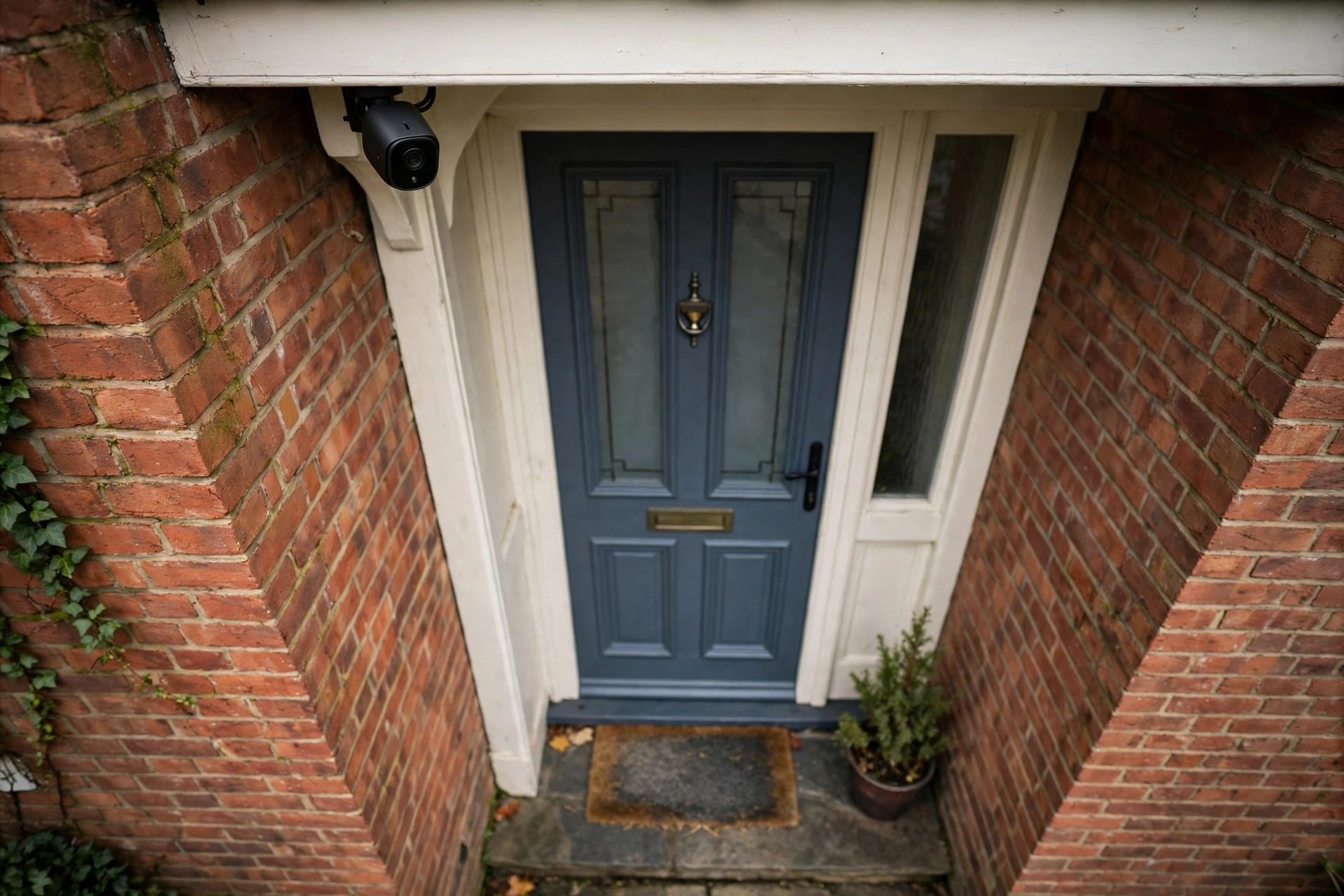
A security camera can give real peace of mind. It can show who came to the door while you were out, whether a delivery was left safely, or what set off a noise in the garden at night. It can also become a source of frustration, with constant alerts, unclear pictures, a dead battery, or a neighbourly disagreement about where it points. The difference is rarely about buying the most expensive camera. It is about choosing a camera for a clear job, putting it in the right place, and setting it up in a way that respects the people around you.
This guide explains security cameras in simple, practical terms. It covers the main types, how they are powered, what picture quality really means, how storage and subscriptions work, where to place cameras, and how to stay on the right side of privacy rules in the UK. It does not recommend a particular product, and it does not promise that a camera will prevent crime. A camera is one part of feeling safer at home, alongside good locks, sensible lighting, and neighbours who look out for each other. Used well, it can help you see what is happening and act calmly. Used badly, it can add worry rather than remove it.
Start With What You Want the Camera to Notice
Before looking at any camera, it helps to write down, in one sentence, what you want it to notice. That sentence shapes everything else. A camera meant to show who is at the front door needs a different position and view from a camera meant to watch a side gate, a driveway, or a back garden. A camera meant to check on a pet during the day is different again from one meant to record movement at night when the house is empty.
Think about the moment you most want to understand. Is it a visitor arriving, a parcel being left, someone trying a gate, or movement near a shed? Each of those moments has a place, a distance, and a time of day. A camera that watches a wide garden may show that something moved, but it may not show enough detail to identify a face or a vehicle. A camera close to a door may show a face clearly, but it will miss the wider approach. Most homes do better with one or two cameras placed for specific jobs than with many cameras covering everything in a general way.
It also helps to be honest about how you will use the footage. If you want a quick check on your phone when an alert arrives, you need reliable alerts and a clear live view. If you want a record you can look back at after something has happened, storage matters more than instant alerts. If you mainly want a deterrent, the visible presence of a camera and good lighting may matter as much as the recording itself. Starting with the job keeps the choice simple, and it stops a small purchase from growing into a complicated system that nobody enjoys using.
The Main Types of Security Cameras, in Plain English
Security cameras come in several broad types, and the names can sound more complicated than they are. An outdoor camera is built to cope with rain and cold, and it is usually fixed to a wall or under an eave. An indoor camera is smaller, sits on a shelf or mounts in a corner, and is meant for checking a room, a hallway, or a pet. A video doorbell combines a camera with a doorbell, so it watches the approach to the front door and lets you see and speak to a visitor from your phone. A floodlight camera adds a bright light that switches on with movement, which can help both the picture and the sense that the area is watched.
Some cameras move. A pan and tilt camera can turn left and right and look up and down, either on its own or when you move it from an app. That can be useful in a large room or a wide garden, but a moving camera can also miss something while it is looking the other way. A fixed camera always looks at the same view, which makes it easier to understand what it will and will not see. For most doors and gates, a fixed view is the calmer choice. A moving camera earns its place when one view genuinely needs to cover more than one area, and when you are willing to check it regularly.
There are also cameras that form part of a larger wired system, with cables running back to a recorder in the house. These systems can suit a larger home or a home where several cameras need to work together, and they do not depend on home Wi-Fi in the same way. They usually need more planning, more cabling, and often professional fitting. For a first camera, or for a single door or driveway, a simpler wireless camera is often enough to learn what you actually need. You can always add to a setup later, once you know which views matter most.
Wired, Battery or Solar: Power Makes More Difference Than Pixels
Power is the least exciting part of choosing security cameras, and it is often the part that causes the most trouble later. A mains-powered camera plugs into a socket or is wired into the home electrics, so it can stay on and record whenever it needs to. That makes it a good fit for a front door or a driveway where the camera will be busy. It does mean thinking about where the cable will run, how it will be protected from weather, and whether the work needs a qualified electrician. Power near water, and any work that involves household wiring, deserves proper care and, where needed, professional help.
A battery camera is much easier to put up, because there is no cable to run. You charge the battery, fix the camera to the wall, and connect it to Wi-Fi. The trade-off is that the battery needs charging, and cold weather, frequent alerts, and long recordings can drain it faster than expected. A battery camera in a busy spot, where it wakes up many times a day, can need charging far more often than the headline figure suggests. That does not make battery cameras a bad choice. It makes them a good choice for quieter spots, or for a home where easy fitting matters more than constant recording.
A solar panel can top up a battery camera during daylight, which can help in a sunny, south-facing spot. It will not turn a shaded, busy camera into a camera that never needs charging, and winter daylight in the UK is limited, so it is best seen as a helpful extra rather than a complete answer. Whichever power option you choose, test the camera in its real position before you fix it permanently. Check the Wi-Fi signal at that exact spot, walk through the view, and watch how quickly alerts arrive. A camera that works well on a table indoors can struggle once it is behind brick, glass, or metal guttering outside.
Picture Quality That Helps in Real Life
Picture quality is often described with numbers that sound impressive but tell only part of the story. Resolution describes how many pixels make up the picture, and higher resolution can show more detail, especially when you zoom in. That detail only helps, though, if the camera is close enough, the light is good enough, and the lens is clean. A high-resolution camera far from a gate, looking into bright sunlight, may still give a poor picture. A simpler camera close to a door, with a clear view and good light, may give a far more useful picture.
Night vision matters just as much as daytime quality for many homes, because the moments people most want to understand often happen after dark. Most security cameras switch to infrared at night, which gives a black and white picture. Some use a small white light to give a colour picture at night, which can help show clothing or vehicle colour, but the light can also be bright for neighbours and may attract insects. Colour at night is helpful only if the light is strong enough and the camera is close enough. When you test a camera, test it at night in its real position, with the lights you actually use, rather than trusting a daytime demonstration.
Field of view is another quiet detail that shapes whether a camera helps. A very wide view shows more of the garden or street, but each person in the picture becomes smaller. A narrower view shows less, but in more detail. Neither is right for every job. A door camera benefits from a view that covers the approach and the doorstep without sweeping far into the street. A garden camera may benefit from a wider view, as long as the important area, such as a gate or a shed, is still large enough in the picture to be useful. Walk the route a visitor would take, stand where the camera will sit, and imagine the picture. If the important detail would be tiny, move the camera closer or choose a narrower view.
Storage, Subscriptions and Finding a Clip When You Need It
A security camera is only as useful as the footage you can find afterwards. Some cameras store video in the cloud, on the maker’s servers, and let you look back through an app. Some store video at home, on a memory card in the camera, on a hub, or on a recorder. Some do both. Cloud storage can be simple and lets you check footage away from home, but it often needs a subscription, and the features available without one can be limited. Local storage can reduce ongoing cost and keep footage in your home, but you need to know how much it holds, how it is overwritten when full, and whether you can still reach it if the camera itself is taken or damaged.
Before you buy, check what happens without a subscription, in plain terms. How long is footage kept? Can you download a clip to your phone? Do you get a preview with each alert, or only a message that something moved? Does person detection, or the ability to tell a person from a passing cat, need a paid plan? These details matter more in daily use than a long list of features, because a camera that only keeps a few seconds of footage, or that makes it hard to find an event, will feel unhelpful at the very moment you need it. Write down the storage plan you expect, including how long clips are kept and how you would save one you need to keep, before you commit.
It is also worth thinking about how long to keep footage. Keeping everything for months can feel reassuring, but it also means holding far more personal information than you need, including images of neighbours and passers-by. A shorter, regular cycle, with important clips saved separately, is usually more sensible. Check that the date and time on the camera are correct, because a clip with the wrong time is much harder to use or explain later. If you ever need to share footage, for example with the police after an incident, keep the original clip safe and share a copy, and do not edit it in a way that could raise questions about what was changed.
Where to Put Security Cameras So They Actually Help
Placement is where a good camera becomes a useful camera. The best position is usually high enough to be out of easy reach, angled down slightly, and close enough to the area that matters. A camera above a front door, looking down at the step, will usually show a visitor’s face better than a camera across the street looking at the whole house. A camera watching a driveway should cover the entrance and the car, not just the far fence. A camera watching a back garden should cover the gate and any shed or outbuilding that matters to you, rather than the whole garden in a distant sweep.
Light and weather shape placement too. A camera looking directly into low sun, a bright security light, or a reflective window can struggle, with washed-out pictures or false alerts. A camera under a small overhang is easier to keep clean and dry, and its lens is less likely to be covered by rain or cobwebs. Check the view at different times of day, including early morning and evening, and after rain, when water on the lens can blur the picture. A quick wipe of the lens, and a check that the camera has not been knocked out of position, is a small habit that keeps footage useful.
Think about privacy inside the home as well as outside it. An indoor camera should never point at a bathroom, a bedroom used for changing, or any space where people expect full privacy. If guests, a cleaner, a childminder, or a tradesperson will be in the home, be open about any indoor camera that is recording, and consider turning it off or covering it when it is not needed. A camera that is always on, in every room, can make a home feel watched rather than safe. A camera in a hallway or a main living space, used for a clear purpose and switched off when it is not needed, is usually enough.
Security Cameras and Your Neighbours: Getting the Balance Right
Security cameras often point towards a boundary, a shared drive, or a pavement, and that is where care matters most. In the UK, a camera that only records your own property will usually fall outside data protection law. Once a camera captures images or sound from beyond your property boundary, such as a neighbour’s garden, a shared space, or a public path, data protection law can apply, and you take on responsibilities as the person in charge of that footage. This does not automatically make the camera unlawful, but it does mean you need a clear reason for recording, you should capture no more than you need, and you should handle the footage responsibly.
The government’s guidance on the use of domestic CCTV sets out the same sensible approach in plain terms: think about why you need the camera, whether another measure such as better lighting would help, what the camera needs to view, whether it needs to record all the time, and whether it needs to record sound. It also asks you to consider where the camera is positioned, whether it will overlook a neighbour’s property, and how your neighbours might feel about it. Being transparent helps a great deal. Telling a neighbour what the camera covers, and putting up a small notice that recording is taking place, can prevent most misunderstandings before they start.
The Information Commissioner’s home CCTV guidance explains the duties that can follow when footage goes beyond your boundary. They include having a clear reason, capturing no more than necessary, letting people know recording is happening, storing footage securely, deleting it regularly, and being able to respond if someone you have recorded asks for a copy of footage showing them. Privacy filters or masking, where the camera blurs out a neighbour’s window or garden, can help a great deal when a small amount of overlap cannot be avoided. Audio deserves extra caution, because a microphone can pick up conversations far beyond the camera’s picture, and sound is often more intrusive than video. If you do not need audio, consider switching it off.
If a neighbour raises a concern, the calmest first step is to talk, look at what the camera actually records, and see whether a small change to the angle, a privacy filter, or a shorter recording time would help. A camera that is deliberately pointed at a neighbour’s garden or windows, or used to watch a neighbour rather than to protect your own home, is a different matter, and it can lead to complaints and legal trouble. This article is general information, not legal advice, and the official guidance linked above is the right place to check the current rules for your own situation. When in doubt, aim for the smallest view that still does the job you need, and keep a note of why you set the camera up that way.
Keeping Your Cameras and Footage Secure
A security camera is connected to your home network, and that connection needs the same care as any other smart device. Start with the basics: use a strong, unique password for the camera account, turn on two-factor authentication if it is offered, and keep the camera’s software up to date. Updates often fix security problems, and a camera that has not been updated for a long time can be easier for someone else to reach. If you buy a second-hand camera, reset it fully and set it up as new, with your own account and password, rather than using anyone else’s settings.
Limit who can see the footage. Share access only with people who genuinely need it, such as another adult in the household, and remove access when it is no longer needed. Be careful about sharing clips online. A clip posted to social media can show neighbours, visitors, children, or the layout of your home to people who have no need to see it, and once it is shared, it is hard to take back. If you need to keep a clip, save it securely, with a clear filename and date, and keep it only for as long as you need it. The government’s domestic CCTV guidance makes the same point in a general way: keep recordings secure, limit access, and do not use them for purposes other than protecting your property.
Your home Wi-Fi matters too. A camera at the edge of your Wi-Fi range, behind thick walls, may drop its connection, miss alerts, or upload clips slowly. Testing the signal at the mounting point, before drilling, can save a lot of trouble. If the signal is weak, moving the router, adding a properly placed access point, or choosing a wired camera may be more reliable than adding more cameras. A single camera with a steady connection and clear footage is worth more than several cameras that disconnect at the wrong moment. Check the camera regularly, after storms and high winds, to make sure it is still pointing where you intended and that its lens is clean.
A Calm Way to Choose, Install and Test
Choosing security cameras well does not need to be rushed. Start with the one view that matters most, such as the front door or the side gate, and choose a camera that suits that view, its light, and its power supply. Check the storage and subscription details in writing, so you know what you will pay each month, if anything, and what you will get for it. Check the privacy position, including how much of a neighbour’s property or a public path the camera will see, and whether a privacy filter would help. Then install the camera temporarily if you can, test it in daylight and at night, and walk through the view as a visitor would.
Live with the camera for a short while before adding more. Notice whether alerts are helpful or constant, whether the picture is clear enough at the distance that matters, and whether the battery or storage lasts as you expected. Adjust the motion zones, so the camera watches the doorstep and the drive rather than a busy road or a tree that moves in the wind. Adjust the sensitivity until alerts feel useful rather than noisy. If a camera is not helping, move it, change its settings, or remove it, rather than adding another camera to cover the same problem. A calm setup grows slowly, one tested view at a time.
When you are happy with the first camera, you can decide whether a second view would genuinely help. A back garden camera, a garage camera, or an indoor camera for a hallway may all have a clear job, or they may simply add alerts without adding understanding. Ask the same question each time: what will this camera notice, that the cameras I already have do not? If the answer is clear, add it. If the answer is vague, wait. Security cameras work best when they are few, well placed, well maintained, and easy to understand, both for you and for the people who live around you.
Frequently Asked Questions
Do security cameras need Wi-Fi?
Many modern security cameras use Wi-Fi to send alerts and let you view footage on your phone, but not all of them need it in the same way. Some wired systems record to a recorder in the home and can work without Wi-Fi, although remote viewing still needs a connection. If you choose a Wi-Fi camera, check the signal at the exact mounting point, because a weak signal can mean missed alerts and slow clips. A camera that cannot hold a steady connection in its real position is unlikely to help when you need it.
Do I need permission to install security cameras at home?
In most cases you do not need planning permission to install a camera on your own home, but there can be exceptions, for example in a listed building, a conservation area, or a rented or leasehold home where the landlord or freeholder needs to agree. The more important question is usually privacy. If your camera records beyond your property boundary, data protection law can apply, and you should follow the official guidance on positioning, signage, storage, and responding to requests. If you rent, check your tenancy agreement and speak to your landlord before fixing cameras to the building.
Are security cameras worth it if I am often away?
Security cameras can be most helpful when you are away, because they let you check the home and receive alerts, but they are not a substitute for good locks, lighting, and someone trusted to look in from time to time. A camera can show a delivery, a visitor, or movement near a door, and it can provide a record after an incident. It cannot stop someone who is determined, and it needs a steady connection and enough storage to be useful while you are away. Test remote viewing before a trip, and make sure someone you trust knows how to reach you if something happens.
How long should I keep footage?
Keep footage only for as long as you need it for the purpose you set up the camera for, and delete it regularly. Many homes find a short cycle, such as a week or two, is enough, with important clips saved separately. Keeping footage for months, without a reason, means holding far more images of neighbours and passers-by than necessary, and it makes it harder to find the clip that matters. Check how your camera overwrites old footage, and set a regular deletion routine, whether automatic or manual, so old clips do not simply pile up.
Can a security camera record sound?
Many security cameras can record sound, but audio is more intrusive than video, because a microphone can pick up conversations beyond the camera’s picture. Think carefully about whether you need sound for the job the camera is doing. If you do not need it, consider switching audio off, especially for an outdoor camera near a boundary or a shared space. If you do keep audio on, keep the recording to what is necessary, store it securely, and be aware that the same privacy duties that apply to pictures can apply to voices as well.
Conclusion
Security cameras work best when they are chosen for a clear job, placed with care, and used with respect for the people around them. A single camera that shows the front door clearly, stores footage you can actually find, and does not sweep across a neighbour’s garden will usually serve a home better than a large system that was bought quickly and never tested properly. Take time over power, storage, and privacy, test the camera in daylight and at night, and adjust it until alerts feel helpful rather than noisy.
Start small, test honestly, and add only what earns its place. That calm approach will leave you with a setup you understand, footage you can trust, and neighbours who know what your cameras cover and why. In the end, a security camera should help you feel more at ease in your own home, not more on edge. The right camera, in the right place, used in the right way, does exactly that.